Why we built it
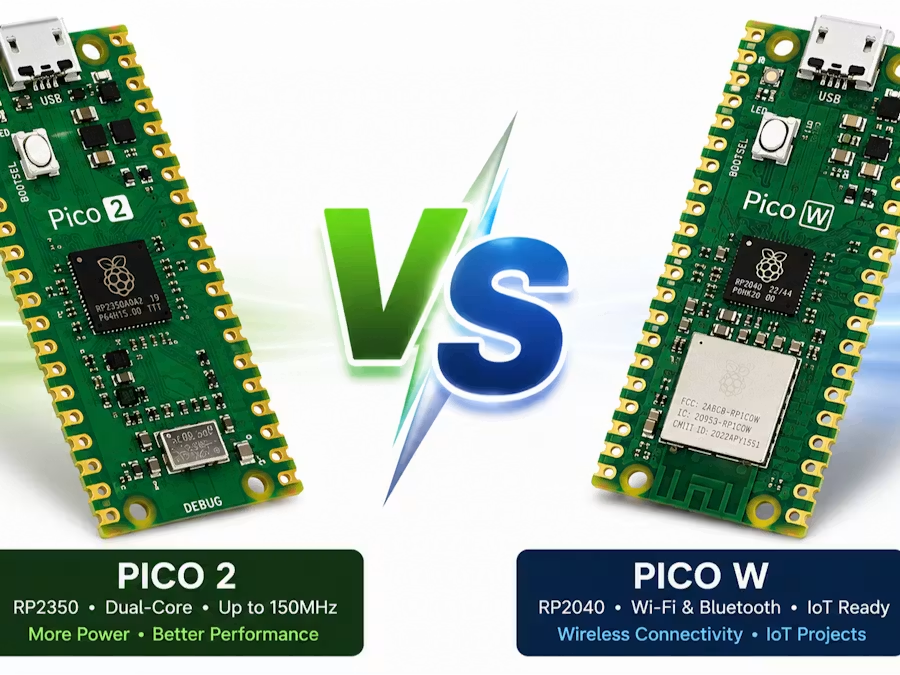
Board names and headline specifications do not explain which Pico fits a real build. Makers need repeatable tests separating compute improvements from wireless convenience.
Run the same CPU, GPIO, memory, power, and workflow tests on both boards, then translate the results into recommendations for robotics, sensors, teaching, and connected devices.
From sketch to prototype
A fair comparison starts with identical firmware, supply conditions, compiler options, and peripherals. Otherwise, a faster result may come from the test setup instead of the board.
The useful outcome is not one universal winner. Pico 2 suits compute-focused embedded work, while Pico W remains attractive when built-in connectivity decides the project.
“The best version wasn’t the one with the most features—it was the one people understood fastest.”
Hardware & tools
Software
Make it step by step
Prepare one fair benchmark
Use the same supply, cable, firmware version, and peripheral circuit. Record every setting before collecting results.

Measure compute and I/O
Time integer loops, memory operations, GPIO toggling, ADC reads, and a representative sensor task. Repeat and report the median.
Compare real decision factors
Measure idle and active current, then score wireless needs, compatibility, documentation, and development comfort beside raw speed.
The core logic
from time import ticks_us, ticks_diff

start = ticks_us()
checksum = sum((i * 17) & 0xFFFF for i in range(100000))
elapsed = ticks_diff(ticks_us(), start)
print({"microseconds": elapsed, "checksum": checksum})What we learned
- A repeatable workload is more useful than specification tables.
- Connectivity and ecosystem fit can outweigh peak processing speed.
- Power testing needs multiple operating modes, not one idle reading.
 Watch preview
 Watch preview
 Watch preview